Introduction
Magnetic charging plugs aren’t just futuristic dreams anymore – they’re here, changing the way we charge gadgets every day. Instead of fumbling with tight ports, you get laptop cables that snap away if tripped on, along with watch chargers that attach without effort. These links bring convenience, steady performance, and fewer risks. Let’s break down the basics: how these connectors function, what perks they offer – and where they fall short – plus practical examples from daily life. We’ll also cover useful advice when purchasing or setting them up. On top of that, we’ll peek at where this tech might go next as it keeps spreading.
These links bring convenience, steady performance, and fewer risks. Let’s break down the basics: how these connectors function, what perks they offer – and where they fall short – plus practical examples from daily life. We’ll also cover useful advice when purchasing or setting them up. On top of that, we’ll peek at where this tech might go next as it keeps spreading.
What exactly do magnetic charging plugs do?
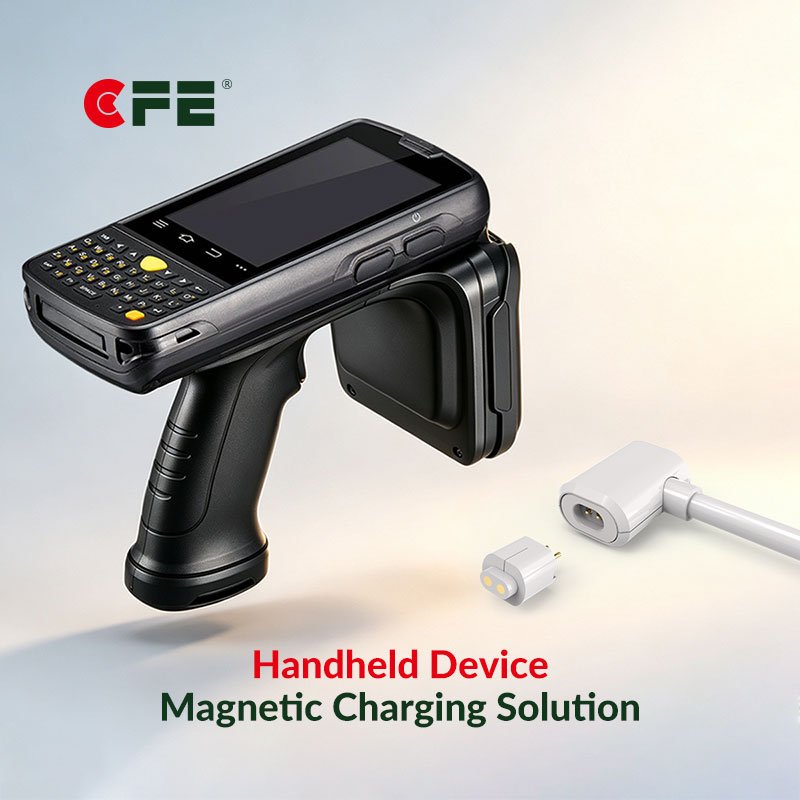
Magnetic charging tips use magnets along with metal touchpoints to link a charger to your gadget without a tight fit. Rather than shoving a plug in by force, it pulls itself into position thanks to invisible pull and lines up small conducting points so power moves through. Since the join works on magnetism, slight off-center placement still connects fine and if something tugs, it comes apart safely – saving both cord and gear.
how these things function – here’s a basic breakdown
Magnetic setup: The plug and gadget use stronger magnets that snap together the right way. Instead, they guide themselves into place automatically.
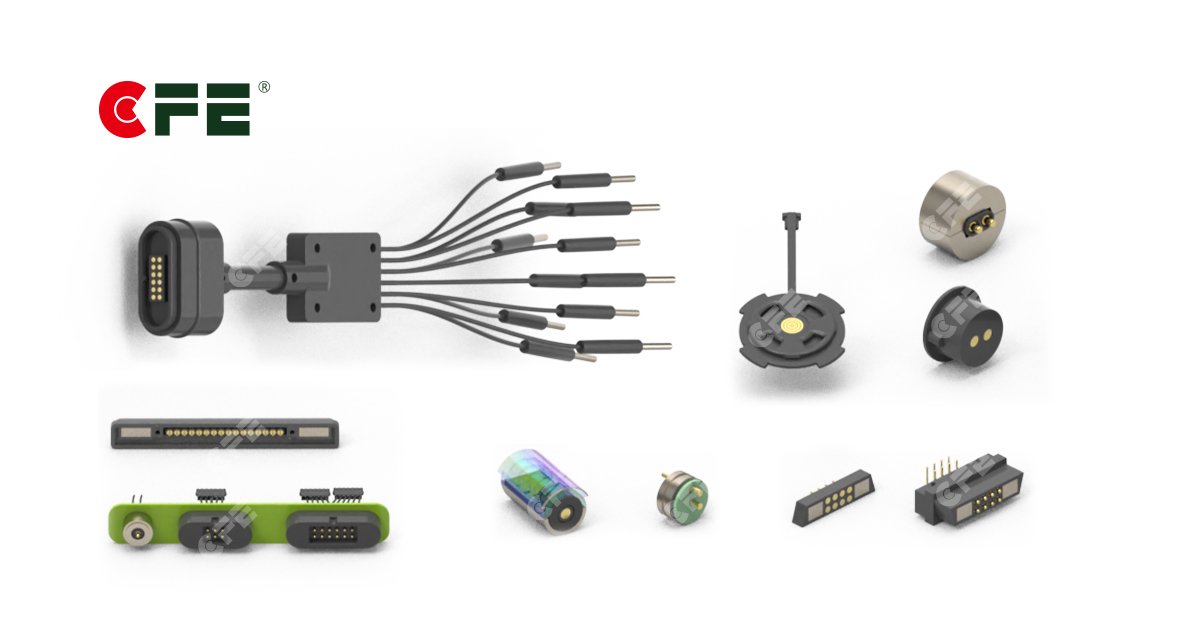
Contact spots: Gold-coated or nickel-covered pads, also known as spring-loaded pins, link up electrically when lined up right.
Data plus power talks – via smart plugs: Lots of newer magnetic tips have tiny signal paths built in, letting the charger and gadget agree on volts or amps kinda like how USB PD works.
If you snag the cord or yank the plug, the magnetic link pops loose – keeps your gadget’s port from getting ripped. No damage, just snaps apart clean.
Key benefits
Safety: Lowers chances of dropping your gadget or harming the port. Wires come loose fast when pulled.
Simple to use: just snap it on to charge – great if you struggle with grip or can’t see well at night.
Durability: Since ports get used less often, their parts don’t wear out as fast.
Water and dust resistance: Lots of models rely on tight seals or magnetic links, which means fewer openings.
A nice look matters – tidy ports make things easier. Flip-friendly plugs help you plug faster.
Common misconceptions
Slower charging? Maybe not – if basic magnetic ones give less juice, good builds still handle quick-charge tech along with smart power sharing.
Not just phones – magnetic charging shows up in laptops, gadgets you wear, toothbrushes that plug into nothing, tools that need juice, even test versions of electric cars.
Magnets mess up gadgets? Not really – well-built magnetic links don’t cause harm because the magnets are positioned carefully and blocked off so they won’t disrupt memory chips or detectors.
Real-world use cases
Laptops or ultrabooks – MagSafe-like ports stop them from tumbling off desks while making plug-in faster. These magnetic links snap apart easily if tugged, so cords don’t drag devices down. No more tripping over wires yanking machines sideways across surfaces.
Smartwatches or fitness bands – magnetic puck chargers snap into place fast, so small gadgets don’t get worn out at the port.
Wireless earbuds plus their cases rely on magnetic fittings so they align right on charging pads – many models start powering up just once the lid’s shut. Some use smart sensors that wake the system only when snapped closed, helping save energy while keeping connections snug during charge cycles.
Electric toothbrushes or medical tools: sealed magnetic links boost cleanliness while cutting shock risks.
Robots plus industrial gear? Tough magnetic plugs make swaps fast. No fuss setup lets parts click together smooth. Maintenance gets way easier with these links.
Design tips for engineers or product squads
Magnet power versus ease of release: Keep grip strong enough to prevent unintended slips, yet allow separation when stress gets risky.
Contact setup: Use spring pogo pins or wide flat pads – pick depending on how often it’s used, power needs, and where it’ll operate.
Make sure the connection point plus its material can handle the needed electric flow and heat buildup.
When data wires go through the connector, keep protection and resistance steady so signals stay strong – use metal coverings or layers that block noise while matching electrical flow. That way, info moves without hiccups – either by consistent line design or materials that prevent signal loss.
Keep it tight and tough: pick flexible stuff with formed seals so it handles moisture well, lasts longer.
Browse tips – key things to check
Make sure the plug fits what your gadget uses for power – check volts and current. Use a link that lines up with how much juice it takes.
Certification + safety: Check for proper labels like CE or UL – also review test results from the maker.
How long a connector lasts depends on how many times it’s been plugged in or unplugged.
Contact plating: gold layer boosts how well it carries current while standing up to rust.
Guarantee and help: Trustworthy sellers give straightforward details or a promise to fix things.
Limitations and challenges
Budget hit: Pricier magnetic chargers plus unique plugs often run higher than regular cords.
Works only with certain brands – magnetic plugs tie you to one maker unless others start using them too.
Heat management: High-current applications need careful thermal design for safety.
Foreign-object detection: Tiny magnetic parts need to handle metal bits nearby – those might lead to shorts.
The days ahead: what’s changing, also where things are headed
Look for growing moves toward common designs in magnetic charging setups – this should help cut down confusion. Different groups will likely team up, using shared blueprints instead of making everything from scratch.
Stronger uses ahead: Magnetic links might shift toward heavier-duty gadgets when better parts and layouts come along.
Smart links: Work with quick-charge systems, verify users, also include protection code.
Magnetic plugs team up with wireless juice – delivering fast power through cables when you need it, or going cord-free whenever possible.
Fewer broken ports plus tougher plugs lead to less trash from gadgets. That’s good for nature since we toss out fewer worn-out parts.
FAQs
Q1: Are magnetic chargers safe for my phone battery?
Yep – if the charger works right with the gadget using correct safety features, magnetic ones are just as secure as regular cables.
Q2: Do magnetic plugs work with quick charging?
Good magnetic plugs handle quick charging such as USB PD if built with wide contact points along with correct signal paths.
Q3: Can magnets mess up my info or card scanners?
Most gadgets can handle tiny magnets in ports – no risk to memory chips. But keep big ones away from sensors or credit cards.
Q4: Are magnetic connectors waterproof?
Some are built this way. Lots of models come with sealed builds that handle wet spots just fine. Look at the IP code to make sure.
Q5: Are magnetic chargers universal?
It depends. A few are locked down. Check sellers that provide common setups or converters so things work together.
Q6: How long do magnetic plugs work for?
Good plugs might handle many insertions – look up the maker’s test numbers to know for sure.
Conclusion
Magnetic charging plugs are handy, easy to use, maybe even getting stronger over time. They keep gear safe, make plugging in less of a hassle, also spark fresh ideas in how gadgets or machines are built. Sure, price and fit issues still pop up now and then – yet better rules, new stuff they’re made from, along with smarter power tricks show these links might soon go everywhere. Whether building tech or just buying add-ons, give magnetic tips serious thought – the next phase of charge-up moments is clicking together.