You found the right pogo pin. The datasheet says 30A. Then the prototype arrives, you push 30A through it, and the board gets warm in a way the pin never did. That’s what first-time high-current designs often miss: the connector is only one link in the chain. The copper feeding it, the pad holding it, and the path that carries heat away decide whether 30A is a comfortable load or a slow burn.
This guide walks through the PCB side of a 30A pogo pin design: how much copper you need, how wide the traces should be, how to handle pads and vias, and where the heat goes. It is written for engineers and for buyers who need to ask suppliers the right questions before a layout is frozen.
The Short Answer: What a 30A Pogo Pin Needs From Your PCB
PCB design for a 30A pogo pin means sizing copper, pads, vias, and heat paths so that contact resistance and the board’s resistance together keep temperature rise at an acceptable level. The pin’s rating tells you what the part can do under test conditions. Your layout decides what it does in your product.
- Copper: use heavy copper (2 oz or more), several layers in parallel, or a pour instead of a narrow trace.
- Pads: make them large, and connect them to the pour as directly as soldering allows.
- Vias: use many of them, not a handful, whenever current changes layers.
- Heat: give the pad a way to shed heat, and plan for the hottest ambient your product will see.
- Proof: measure temperature rise on a real board at real current before releasing the design.
Why 30A Turns a Layout Detail Into a Heat Problem
Heat in any conductor follows P = I² × R. The current is squared, so going from 5A to 30A does not make the heat six times bigger. It makes it 36 times bigger. A resistance that was harmless in a 5A design, a slightly narrow trace, a single via, a pad with thermal relief- suddenly becomes a heater.
| Resistance in the current path | Heat at 5A | Heat at 30A |
|---|---|---|
| 1 mΩ | 0.025 W | 0.9 W |
| 5 mΩ | 0.125 W | 4.5 W |
| 10 mΩ | 0.25 W | 9 W |
| 20 mΩ | 0.5 W | 18 W |
Here is how easily that adds up. One ounce of copper has a sheet resistance of roughly 0.5 mΩ per square. A 30A path that runs ten squares long on 1 oz copper adds about 5 mΩ, which means around 4.5 W of heat and a 0.15 V drop, all before the current even reaches the pin. Most of that heat sits in a few square centimeters of board, right next to your connector.
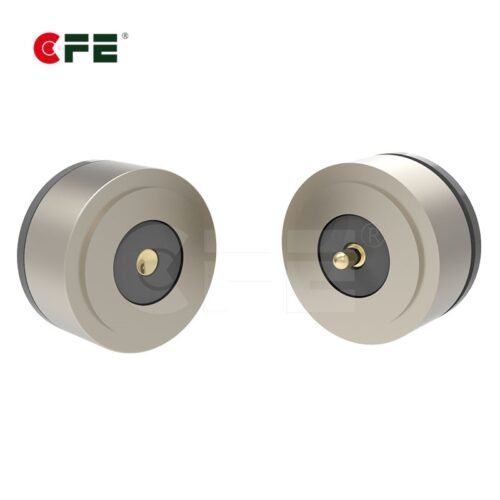
This is also why the pin’s headline rating is a starting point, not a promise. CFE explains the same idea from the connector side on its page about waterproof pogo pins and magnetic connectors for 5A to 30A designs: current rating is a temperature question, and the board around the pin is part of the answer.
Choose the Pin and Footprint Before You Route
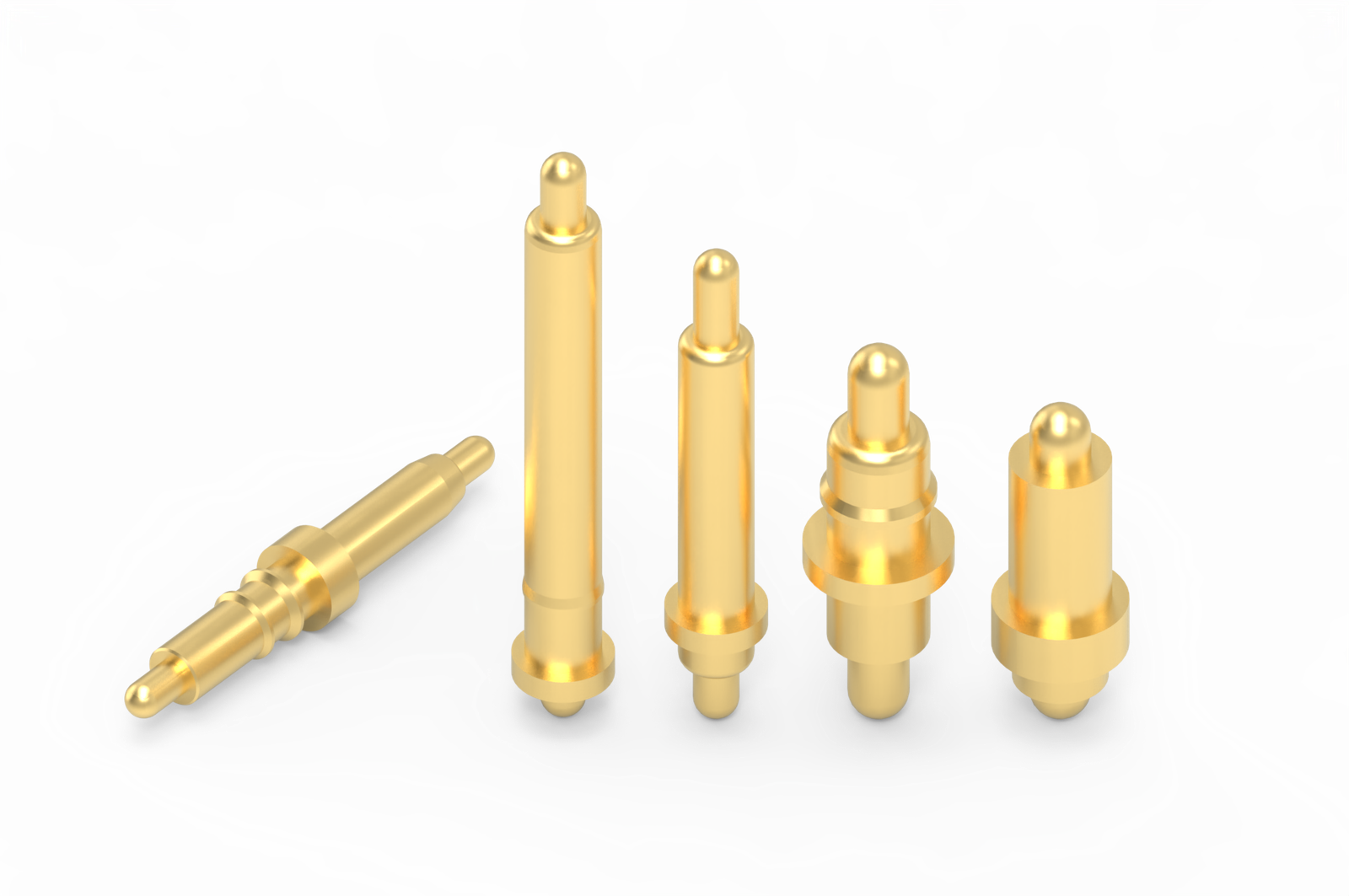
Layout starts with the part, not the copper. For a 30A design, check the datasheet drawing for pad size, mounting style, working stroke, and how the pin attaches to the board. CFE lists its 5A–30A high-current pogo pins in SMT, DIP (through-hole), right-angle, and solder-terminal styles, so you have options.

The BP38111 30A pogo pin is a good example of what to read. CFE lists it at DC 12V and 30A, with a brass, beryllium copper, or phosphor bronze barrel and plunger, gold plating that can be adjusted to customer requirements, a surface-treated stainless spring, and a 20,000-cycle life test. It sits in the DIP pogo pin category as well. Note the voltage: if your product runs at a different voltage, confirm the rating with engineering rather than assuming it carries over.
Why does mounting style matter so much? At 5A, a small SMT pad is usually fine. Take a look at the BE03922 5A SMT pogo pin, which CFE lists at DC 20V and 5A. At 30A, the solder joint and the copper area beneath the pin carry six times that current, and a small reflowed pad has little room to spread heat. In general, through-hole and solder-terminal styles give you more copper-to-pin contact area and a stronger mechanical joint, while SMT demands a very generous pad and pour. Ask which style suits your current before you commit to a footprint.

Copper Weight and Trace Width: Real Numbers
The best-known starting point is the IPC-2221 trace-current formula, published by IPC, the electronics industry’s standards body. The newer IPC-2152 is built on more test data and accounts for things like nearby copper planes and board thickness. Either way, treat any calculator as a starting point and confirm on a real board.
Running the IPC-2221 external-layer formula for 30A gives these approximate widths. These are my own calculations from the published formula, so check them against your preferred calculator before you lock a layout.
| Outer copper weight | Width for 10°C rise | Width for 30°C rise |
|---|---|---|
| 1 oz (about 35 µm) | about 33 mm | about 17 mm |
| 2 oz (about 70 µm) | about 16 mm | about 8 mm |
Two lessons come out of that table. First, 1 oz copper is almost never practical for a 30A path on a small board. Second, a 10°C rise is demanding, while 30°C may be too hot for a sealed, hot enclosure. Pick the rise your product can tolerate, then work backward.
Inner layers are harder: they shed heat poorly, and the same formula asks for roughly two and a half times the cross-section. That is why designers prefer to carry the heavy current on outer layers and use inner layers as helpers. Also remember that copper resistance climbs about 0.4% for every degree it warms, so a hot trace becomes a little more resistive and hotter still.
When the width simply won’t fit, you have four levers: heavier copper, several layers stitched in parallel, a wider pour that doubles as a heat spreader, or a solder-reinforced or bolted-on copper bar. Many 30A designs combine two of them.
Pads, Vias, and Planes Around the Pin
Make the pad bigger than you think you need. Extra copper around the pin lowers the resistance at the joint and gives heat somewhere to go. Check the pin’s drawing for its minimum pad, then treat that as a floor.
Be careful with thermal relief. Thermal relief spokes are there to make soldering easier, but they are narrow bottlenecks. For a 30A pad, a direct connection to the pour carries current far better. The trade-off is that the pad now pulls heat out of the iron or oven, so talk to your assembly house about preheat, solder profile, and whether a hand-soldered or selectively soldered joint is sensible.
Treat every via as a small, limited conductor. A common rule of thumb is that a standard small via handles on the order of 1A, though the real figure depends on drill size, plating thickness, and allowed temperature rise. At 30A that means a field of vias, not four. Place them close to the pad so the current doesn’t have to travel across a thin neck of copper first, and mirror the heavy copper on every layer you use.
Keep the current path short and symmetrical. A pad that is fed from one side and drained from the other forces current to crowd along one edge, and that crowded edge runs hotter than the average suggests.
Managing Heat Where the Connector Meets the Board
Even a well-designed 30A path produces some heat, so the aim is to move it away before it builds up. Large copper areas on both sides of the board, stitched together with vias, act as a spreading plate. Heavier copper does this job more efficiently than a larger plain pour.
- Know your duty cycle. 30A for ten seconds and 30A for four hours are different problems. A charging contact that runs for hours needs a much more conservative design.
- Know your worst-case ambient. A sealed enclosure in a warm vehicle starts from a much higher baseline than a desk gadget.
- Keep sensitive parts away. Batteries, electrolytic capacitors, and temperature sensors don’t enjoy living next to a hot pad.
- Add a sensor. A thermistor near the connector lets firmware reduce current or shut down if the pad runs hot.
- Protect the circuit. At 30A, a fuse or other protection in line with the connector is a sensible safeguard against fault conditions, not a luxury.
One safety note: high-current connections that run hot can burn skin, damage plastics, and in the worst case start a fire. This article is general guidance, not a substitute for a design review or for the safety standards that apply to your finished product.
Parallel Pins and Other Layout Mistakes to Avoid
The most tempting shortcut at 30A is to fit several small pins side by side and add up their ratings. It rarely works, because current doesn’t split evenly. One pin touches a little earlier or harder and takes more than its share. CFE covers this in detail in its article on why four 5A pogo pins don’t make a 20A connection, and the same logic applies at 30A. If you must parallel pins, derate the group and test the real assembly.
Other mistakes show up again and again in high-current boards:
- Sizing the trace for the pin and forgetting the cable or battery connection at the other end.
- Running current through a thin neck between two pours.
- Placing the pad in a corner where heat cannot spread in all directions.
- Ignoring stroke. An over-compressed pin wears faster and loses contact quality, so check the working height guide and read about what happens when a pogo pin is over-compressed.
- Leaving contacts live and wet. If your product sees moisture, read why powered pogo pin contacts corrode in water before choosing plating and power-up logic.
What to Tell Your Supplier Before You Freeze the Layout
Many delays come from missing information, not from design difficulty. Before you send files, gather the details below. They let an engineer recommend a series with real margin instead of one that only meets the headline number. The guide to reading a pogo pin connector datasheet will help you check the answers.
| What to send | Why it matters |
|---|---|
| Continuous and peak current, and voltage | Sets the pin series and how much margin you need |
| Duty cycle and acceptable temperature rise | Separates short charge bursts from continuous load |
| Worst-case ambient temperature | Moves your starting point for every calculation |
| Board stack-up and copper weight | Decides whether the pad can shed heat |
| Mounting style and available pad area | Fits the pin to your board and your assembly process |
| Mating cycles and expected product life | Guides plating and spring choices |
| Water or dust exposure | Decides the sealing approach and the plating |
If your requirement doesn’t match a catalog part, CFE also builds custom pogo pin connectors, and its article on high-current pogo pin connection solutions shows how the pieces fit together.
Test the Board, Not Just the Calculator
A calculator gives you a prediction. A prototype gives you the truth. Before release, run a simple validation sequence on a board built exactly as you plan to ship it:
- Measure the voltage drop from the supply-side pad to the load-side pad at full current. Divide by the current for the real resistance, then check it against the heat table above.
- Soak it at your duty cycle. Hold 30A for as long as the product really will, inside the real enclosure and at the worst ambient you can create.
- Watch the temperature. A thermal camera or a thermocouple on the pad and the pin barrel shows hot spots a calculator can’t.
- Cycle the connector. Mate and unmate many times, then repeat the temperature and voltage-drop checks. Contact resistance often changes with wear.
- Inspect afterward. Look for discoloration, solder cracking, and lifted pads. Why pogo pins fail lists the warning signs.
If the result is warmer than you expected, don’t be discouraged. More copper, more vias, and a bigger pad are cheap fixes at the prototype stage and expensive ones after tooling.
Conclusion: Treat the Board as Part of the Connector
A 30A pogo pin lives or dies by what surrounds it. Heat grows with the square of current, so every milliohm in the path matters more than it did at 5A. Choose the right mounting style, give the pin heavy copper and a generous pad, connect it with many vias, plan a way for heat to escape, and confirm everything with a real test. Do that, and the headline rating becomes something you can actually use.
If you are laying out a high-current board now, review the full range of waterproof pogo pin and magnetic connectors for 5A to 30A designs, then send your current, duty cycle, and board details through the quote and samples page. Sharing those details early means the recommendation fits your product the first time.
Frequently Asked Questions
Can a PCB really carry 30A through a pogo pin?
Yes, but only if the board is designed for it. The pin can be rated for 30A, yet thin traces, small pads, and too few vias will overheat long before the pin does. Use heavy copper, a large pad, plenty of vias, and a thermal test on a real prototype.
How wide should a trace be for 30A?
It depends on copper weight and the temperature rise you can accept. Using the IPC-2221 formula, an outer 1 oz layer needs roughly 33 mm for a 10°C rise, while 2 oz needs roughly 16 mm. Heavier copper, parallel layers, or a copper pour make this far more practical.
Should I use thermal relief on a 30A pogo pin pad?
For the current path, a direct connection to the copper pour carries current better and sheds heat better than thermal relief spokes. The trade-off is harder soldering, so confirm the process with your assembly house.
Is an SMT pogo pin suitable for 30A?
It can be, but only with a very generous pad and pour. At 30A, through-hole and solder-terminal styles generally give more copper contact and a stronger joint. Ask the supplier which style fits your current and board.
How do I check the temperature rise of my design?
Build a prototype exactly as you plan to ship it, run full current for your real duty cycle inside the enclosure, and measure the pad and pin with a thermal camera or thermocouple. Repeat the test after many mating cycles, because contact resistance can change with wear.