You snap a smartwatch onto its charger and it clicks into the right spot without you looking. No fumbling, no plug, no port. That small moment of satisfaction is a magnetic connector doing its job. This guide explains what a magnetic connector is, how it works, which types exist, where they are used and how to choose one, written for engineers, product designers and buyers who want clear answers before they specify a part.
Key takeaways
- ✔A magnetic connector uses magnets to align and hold two halves together, while metal contacts carry the electricity.
- ✔Most magnetic connectors use spring-loaded pogo pins as their contacts, so the two technologies are usually combined.
- ✔They make devices easier to seal and easier to use with one hand, because there is no port to line up or clog.
- ✔Holding force, current rating, pin count, contact resistance and polarity keying matter more than appearance when you compare parts.
- ✔Strong magnets need sensible safety guidance, especially around implanted medical devices such as pacemakers.
What Is a Magnetic Connector?
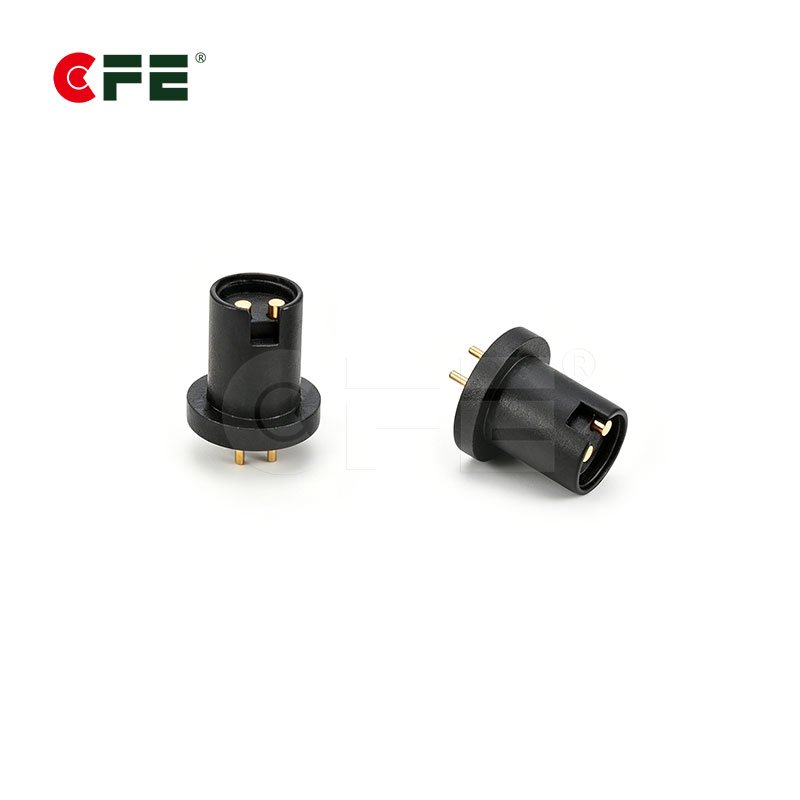
The important word is contacts. The magnet does not carry electricity. Its job is mechanical: it guides the two halves toward each other and keeps them pressed together so the contacts stay connected. Think of the magnet as the hand that holds the door shut and the pins as the wires that actually do the work.
This is what separates a magnetic connector from a traditional plug. A USB or barrel connector relies on shape, friction and a latch. A magnetic connector relies on attraction, so it can be attached from a slightly wrong angle and still find its way home, and it releases cleanly if someone trips over the cable. That is why you see the design in products that get connected many times a day.
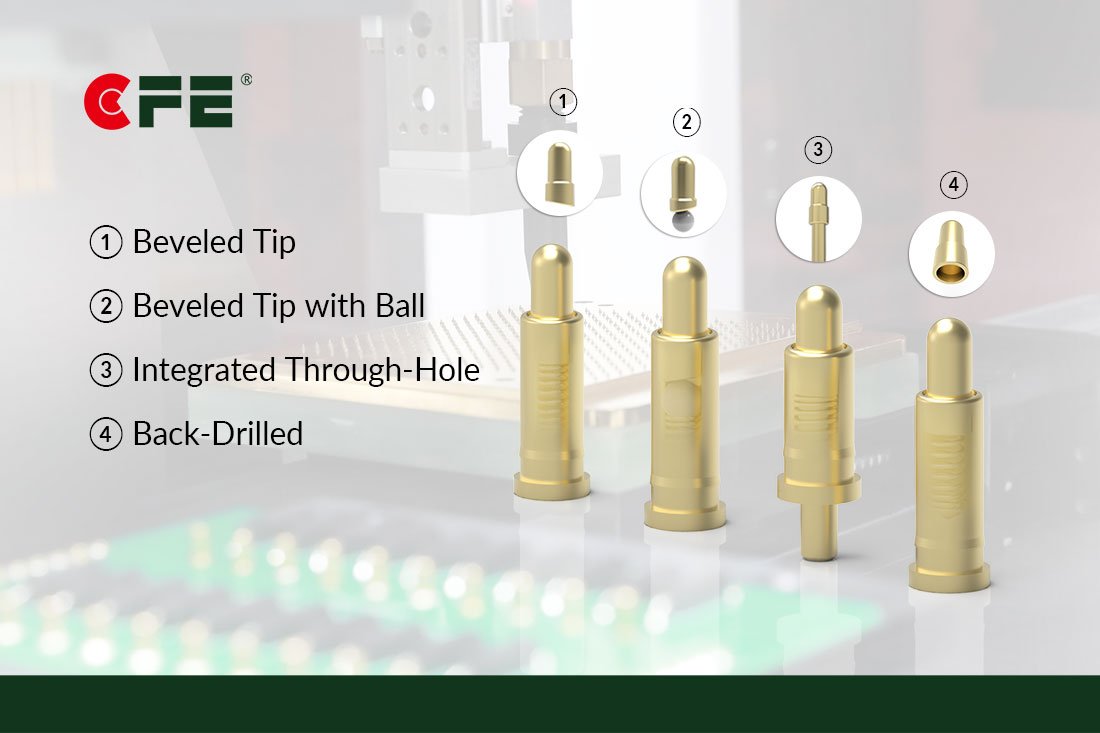
It also helps to separate it from wireless charging, which is a different idea. Wireless charging moves power through coils with no metal contact at all. A magnetic connector still touches metal to metal. If you want to see the contact hardware behind these designs, our pogo pin connector range shows every style we manufacture.
How Does a Magnetic Connector Work?
The sequence takes about a second, but four things happen in order.
- Attraction. As the two halves come close, the magnets pull toward each other and correct small misalignments.
- Alignment. The housing shape and magnet layout guide the parts into one exact position.
- Contact. The spring-loaded pins press against the mating pads or pins, and the springs keep steady pressure on the connection.
- Release. Pull the halves apart and the magnets let go, so the connection breaks without damage.
Most designs arrange the magnets with alternating poles. Because opposite poles attract and matching poles repel, the connector will only click together one way. That built-in keying protects against reverse polarity, which matters when the contacts carry battery power.
| Component | Role | Typical construction |
|---|---|---|
| Magnets | Align and hold the two halves | Small permanent magnets; neodymium is common for its strength |
| Contacts | Carry power or data | Spring-loaded pogo pins or flat pads, gold plated over nickel |
| Housing | Insulates contacts, sets pin pitch, holds magnets | Engineering plastic, sometimes with a metal shell |
| Termination | Connects to the product | Cable or wire, or PCB mounting by SMT, DIP or solder cup |
Because the contacts are spring loaded, the connector tolerates small gaps and shifts. A rigid contact needs perfect alignment. A pogo pin can move through part of its travel and still keep pressure on the mating surface.
Magnetic Connector vs Pogo Pin Connector: What Is the Difference?
People often compare the two as if you had to choose one. In practice they solve different halves of the same problem.
| Feature | Pogo pin connector | Magnetic connector |
|---|---|---|
| Main job | Carries current or signal | Aligns, holds and connects |
| Alignment | Needs guides or a housing shape | Self-aligning through magnets |
| Contact method | Spring-loaded pins on pads | Usually pogo pins inside a magnetic housing |
| Best for | Docks, cradles and board-to-board links | Cables and chargers attached by hand |
If your product drops into a cradle that already guides it, plain pogo pins may be enough. If someone has to attach a cable to a small or wearable device, adding magnets usually improves the experience. We compare both approaches in more depth in our guide to magnetic connectors vs pogo pin connectors.
Types of Magnetic Connectors
There is no single universal classification, but buyers usually sort magnetic connectors along three lines: how the contacts are built, how the connector mounts, and what it carries.
By contact style
The most common design pairs a row of pogo pins on one half with flat pads on the other. Some designs use pins on both halves. Pin-to-pad is simpler and easier to seal, while pin-to-pin can suit modules that connect in either direction.
By mounting method
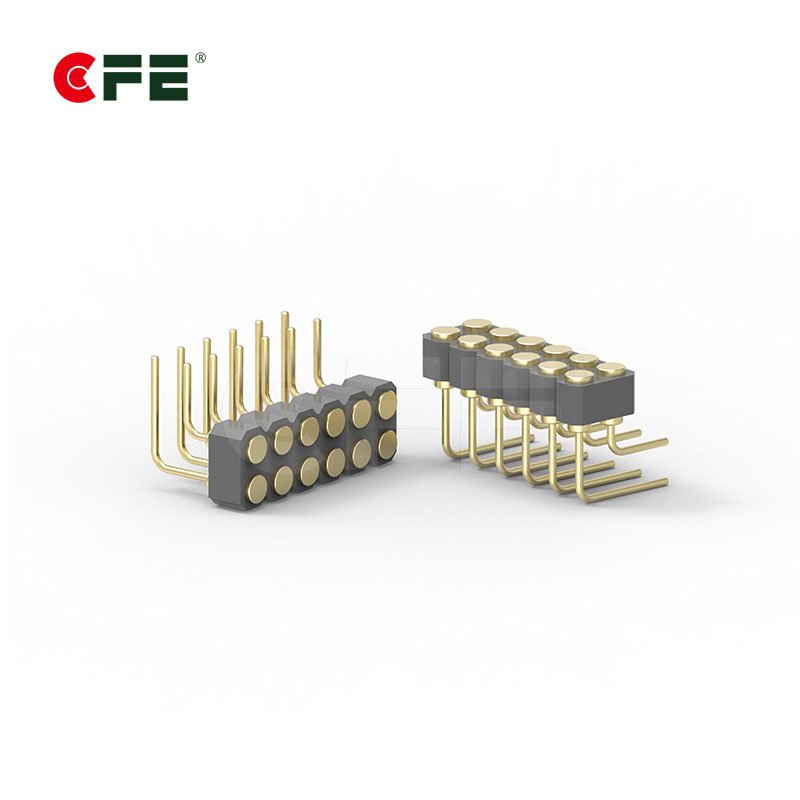
The contact side follows the same mounting styles as standard pogo pin connectors: SMT for automated assembly on thin boards, DIP (through-hole) for a stronger mechanical anchor, solder cup for wire connections, and right angle when the contact faces the edge of the product.
By function
Some connectors carry power only, some carry power and data, and some are built for higher current. Pin count and pin size decide which. If current is your main constraint, our selection guide for 5A to 30A pogo pins explains what to check.
Custom designs
When pitch, magnet strength, housing shape or cable length do not match a catalog part, a custom connector is built around the product. This is very common in wearables and compact electronics.


Where Are Magnetic Connectors Used?
The pattern is simple: where a product is small, sealed or attached many times a day, a magnetic connection tends to make sense. These are the applications we see most often.
Smartwatches. A watch with no charging port can be sealed more effectively. Contacts on the back meet a charger that snaps into place, so you never hunt for a socket.
Smart rings and earbuds. Rings and earbuds sit in small cases. Magnets seat the device in the right spot and contacts start charging as soon as it lands.
AI glasses. Frames have almost no room for a port. Charging contacts near the temple or hinge let the glasses charge simply by resting in their case.
POS terminals. Payment devices are docked and undocked all day. A guided contact interface reconnects reliably after each use.
Robotics. Robots and mobile machines use higher-current contacts for battery connection and automatic docking, where a plug would need a person to guide it.


Benefits and Limitations of Magnetic Connectors
Magnetic connectors are popular for good reasons, but they are not free of trade-offs. Weigh both sides before you commit.
| Benefit | What it means in practice | Trade-off to consider |
|---|---|---|
| Self-alignment | Users connect without looking | Magnet strength must match the weight and use of the device |
| Easy sealing | Only flat contacts are exposed, no open port | Contacts still need corrosion-resistant plating |
| Breakaway release | Cable pulls free instead of breaking the device | Too weak a hold can disconnect under vibration |
| Slim design | Needs less depth than a plug and socket | Magnets take space and add weight |
| User experience | Snap-on connection feels simple | Debris can cling to magnets and reach the contacts |
If your product needs very high data speed as its main function, a standard port may still be the better fit. If it needs to be compact, sealed and easy to connect, a magnetic design is hard to beat.
Key Specifications to Check Before You Buy
Pin count and looks get attention, but these parameters decide whether a magnetic connector works in the real world. The notes below are general guidance. Always confirm exact figures on the datasheet for the part you are considering.
| Specification | Why it matters | What to look for |
|---|---|---|
| Holding force | Keeps contacts connected during use | Enough to survive vibration and cable weight, low enough to release cleanly |
| Rated current and voltage | Sets heat rise and safety margin | Leave headroom above your peak load |
| Pin count and pitch | Decides power, data and footprint | Match to your signal needs and PCB or housing space |
| Contact resistance | Affects voltage drop and heating | As low as possible; ask how and when it was tested |
| Working stroke | Sets tolerance for gaps and shifts | Cover your worst-case tolerance stack-up |
| Polarity keying | Prevents reverse connection | Magnet layout or housing that only mates one way |
| Plating and materials | Controls corrosion and wear | Gold over nickel on contacts; suitable housing for skin and sweat |
| Cycle life | Predicts service life | Rated cycles with stated force and stroke |
| Operating temperature | Magnets lose strength when hot | Check the range against your product environment |
Magnetic Connector Safety
Magnets are safe in everyday products when they are used sensibly, but three points deserve clear attention, especially if you design or sell consumer devices.
Medical implants. Some consumer electronics contain strong magnets that can trigger the safe mode of implanted devices such as pacemakers and defibrillators. The FDA guidance on magnets in cell phones and smart watches recommends keeping these products at least six inches away from an implant and speaking with a healthcare provider about specific concerns. Product manuals for magnetic chargers should carry a similar note.
Small magnets and children. Loose magnets are a swallowing hazard. Keep magnetic parts away from young children, and seek medical help immediately if a magnet is swallowed.
Metal debris. Magnets attract small metal particles, and debris that bridges two contacts can cause a short circuit. Good housing design and keeping contacts clean reduce the risk.
How to Choose the Right Magnetic Connector
This process works whether you are building a first prototype or reworking a shipping product.
- Define the electrical load. Write down current, voltage, and whether you need power only or power plus data.
- Decide how it will be used. A charger attached daily by hand needs different holding force than a fixed dock.
- Choose the contact and mounting style. SMT, DIP, solder cup or right angle, based on your assembly process and space.
- Check the environment. Sweat, humidity, dust and temperature affect plating, magnet choice and housing design.
- Estimate mating cycles. A connector used several times a day for years needs a higher cycle rating than an occasional one.
- Test samples with your real parts. Try them against your actual enclosure and mating surface, not just a datasheet.
Not sure where your design falls? Send your drawing and current requirement to our engineers and ask for a recommendation before you fix a footprint.
Common Problems and How to Prevent Them
In our experience, most disappointing results come from the design around the connector rather than from the connector itself.
- Weak hold. Under-sized magnets let the connection slip. Size the magnet to the device weight and expected movement.
- Misalignment. Contacts that land at the pad edge raise resistance. Use guides, a larger pad or better magnet placement.
- Contamination. Sweat, oils and dust add resistance. Gold plating and regular gentle cleaning help.
- Short circuits. Metal debris can bridge exposed contacts. Recess contacts slightly and avoid open cavities.
- Heat and demagnetization. Many magnets weaken at high temperature. Check the rated range for your environment.
- Overcurrent. Pushing small contacts past their rating causes heating. Match the contact to the load.
Quality and Compliance: What to Ask Your Supplier
A connector is only as trustworthy as the paperwork behind it. CFE Connector’s certification pack includes RoHS and REACH marks alongside its quality-system certificates. When you qualify any supplier, ask for current copies, confirm they cover the exact part family, and check that the dates are still valid. This matters most for regulated markets and for anything worn on the body.

Frequently Asked Questions
What is a magnetic connector used for?
A magnetic connector is used to connect power or signals between two parts of a device without a plug you have to line up by hand. Typical uses include smartwatch chargers, earbud and ring charging cases, AI glasses, POS terminal docks, and battery or docking contacts in robots.
Is a magnetic connector the same as wireless charging?
No. A magnetic connector still uses metal contacts to carry current, and the magnets only align and hold the parts. Wireless charging transfers power through coils with no metal contact, and some wireless systems also use magnets purely for alignment.
Are magnetic connectors safe for people with pacemakers?
Strong magnets in consumer electronics can affect some implanted medical devices. The FDA recommends keeping such electronics at least six inches away from implants such as pacemakers and defibrillators, and advises talking to a healthcare provider about specific concerns.
Can a magnetic connector carry data and high current?
Yes, depending on the design. Pin count, contact size and plating decide whether a connector handles power only, power plus data, or higher current. Always confirm ratings on the datasheet for the exact part.
Can magnetic connectors be customized?
Yes. Pin count, pitch, magnet strength, housing shape, cable length and mounting style can all be tailored to a product. Custom designs are common in wearables and compact devices where space is tight.
Conclusion
A magnetic connector is a simple idea that removes a lot of friction: magnets guide and hold, contacts carry the current, and the user just brings the two halves close. It works best when you match holding force, current rating and contact style to real use, and when you plan for safety and cleanliness from the start. Define your load, choose the right contact and mounting style, and test samples against your actual product before you commit.
Ready to specify your connector? Explore our pogo pin connectors, the contact technology inside most magnetic designs, or share your requirements for an engineering recommendation.