Sooner or later, every team sourcing a charging or power interface ends up with three names on the whiteboard: USB-C, MagSafe and “some kind of magnetic connector.” They get compared as if they were interchangeable. They aren’t, and the wrong pick can mean a redesign after tooling is cut.
This guide is for buyers and product teams. We compare the three on the specs that matter in procurement. We’re a connector manufacturer, so we have a view, and we’ll say where USB-C is simply the better answer.
Short answer: USB-C is a universal standard for power and data. MagSafe is Apple’s brand for magnetic charging, and it is not a part you can specify for your own product. A spring-loaded magnetic connector is a custom interface you define: pin count, current, size and sealing. Choose USB-C when you need universal cables and high-speed data. Choose a magnetic connector when you need a small, sealed, breakaway or dock-style power and signal interface.
What Are We Actually Comparing?
The confusion starts with the words. “Magnetic connector” is a category of hardware, USB-C is a published standard, and MagSafe is a trademark Apple has applied to more than one technology.
USB-C: the universal standard
USB-C is a reversible connector standard that carries power, data and video through one port. Its big strength is ecosystem: your customer already owns the cable and charger. Under USB Power Delivery, the specification now reaches up to 240W, and typical connector datasheets quote a durability of 10,000 mating cycles.
MagSafe: two different things under one name
On laptops, MagSafe 3 is a magnetic cable that plugs into a dedicated port on the MacBook; the other end of that cable goes into a USB-C power adapter. On iPhones, MagSafe is wireless charging with a magnet ring for alignment. That second idea is now open to everyone: the Wireless Power Consortium built its Qi2 standard around a Magnetic Power Profile based on Apple’s technology, and devices branded Qi2 must include magnets. For an OEM, “MagSafe-style” wireless charging is available through Qi2, while the MacBook-style wired connector remains Apple’s design.
Spring-loaded magnetic connectors: the custom option
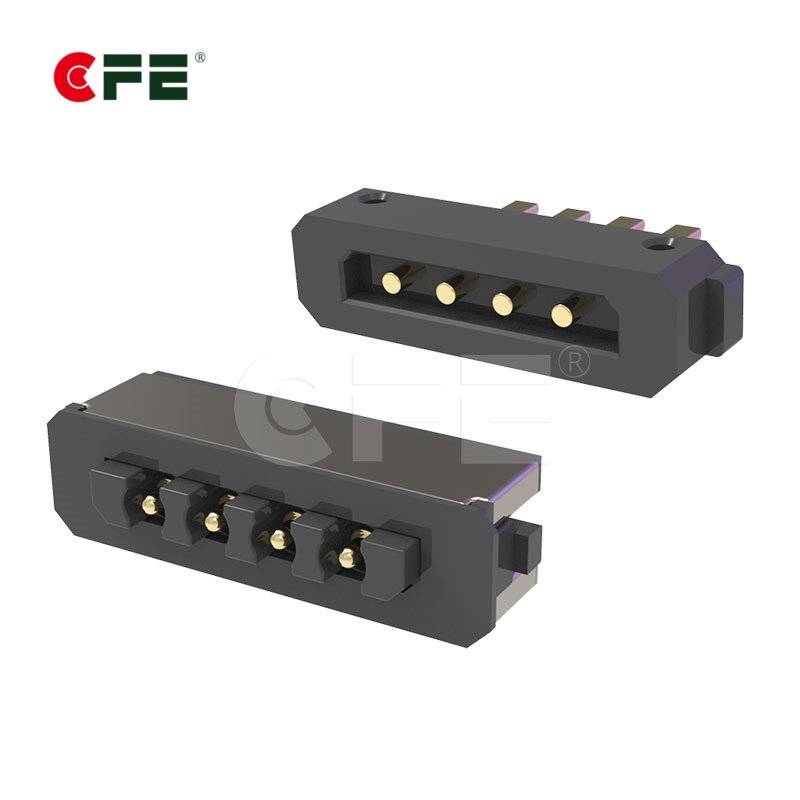
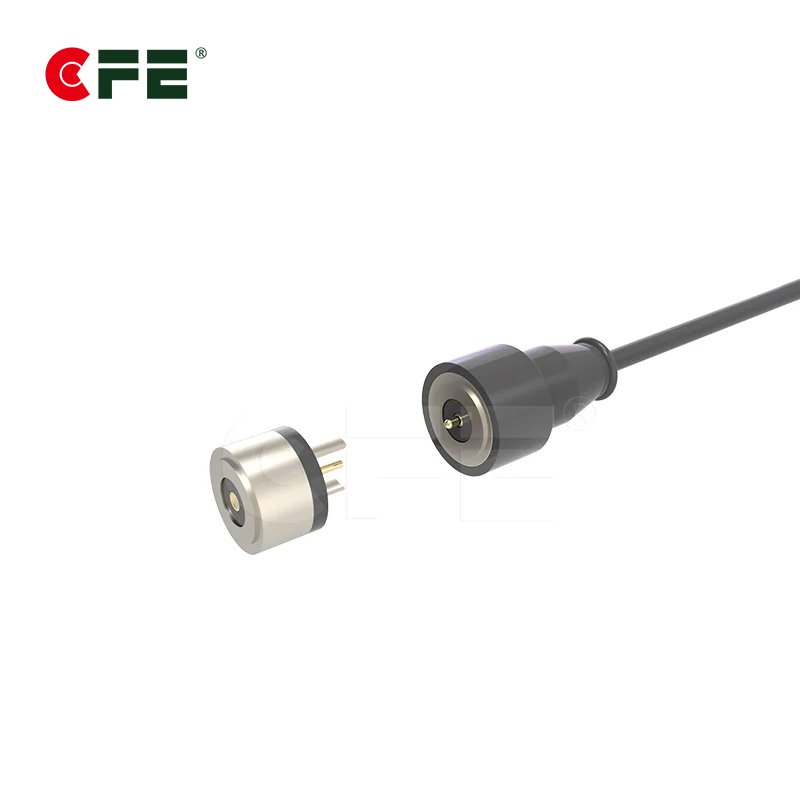
Here, magnets pull two halves together and align them, while spring-loaded contacts (pogo pins) carry the current. You choose the number of pins, the current rating, the shape and the sealing approach. CFE’s magnetic connector range lists current ratings from 1A to 30A as custom options, gold-plated contacts, and up to 10,000 mating cycles.

Magnetic Connector vs USB-C vs MagSafe: Side-by-Side Comparison
Treat the last column as what the CFE connector family offers; exact values depend on the part and customization.
| Factor | USB-C | MagSafe (MacBook / iPhone) | Custom magnetic connector |
|---|---|---|---|
| What it is | Open standard, USB-IF | Apple brand; proprietary cable (Mac) or Qi2-based wireless (phone) | Custom spring-loaded, magnet-aligned interface |
| Typical power | Up to 240W with USB PD EPR | Apple-defined; Qi2 wireless is commonly 15W, with higher profiles listed by some charger makers | 1A to 30A custom options, set by your design |
| Data | Yes, high speed | Charging-focused | Possible via signal pins, you define the protocol |
| Mating cycles | Commonly rated 10,000 | Not published as a part rating for OEMs | Up to 10,000 (CFE range) |
| Breakaway | No, the plug is mechanically retained | Yes | Yes, set by magnet and spring balance |
| Water resistance | Varies by receptacle; sealed versions exist | Product-level | IPX4 and IPX7 options, plus custom waterproof designs |
| Form factor freedom | Fixed by the standard | Fixed by Apple | Round, multi-pin, custom shapes |
| Best for | Universal charging and data | Apple ecosystem accessories | Docks, wearables, medical and industrial devices |
Power and Current: How Much Can Each Carry?
USB-C wins on headline power, and it isn’t close. Standard Power Range covers up to 100W, and the Extended Power Range reaches 240W by negotiating 48V at 5A. The catch: charger, cable and device must all support the profile, plus a negotiation chip. For a 5W earbud case or a 12V sensor dock, that is a system you may never use.
Wireless MagSafe-style charging trades power for convenience. The Qi2 Magnetic Power Profile was introduced at 15W, and some charger makers now list higher figures for newer phones. That suits a phone on a desk, not a motor, pump or battery pack that wants several amps.
A spring-loaded magnetic connector sits in a useful middle: real conductors, real current, but no protocol overhead. CFE lists current as a customizable parameter from 1A to 30A, and its product pages show examples such as a 12V 3A round connector. For higher currents, see our 5-30A magnetic connectors and 5A-30A high-current pogo pins.
One caution applies to every separable contact, magnetic or not: ask any supplier for contact resistance measured under a defined load, and for temperature rise at your rated current, rather than relying on a catalog number.
Durability and Mating Cycles
Mating cycle ratings look comparable on paper but reflect different wear. Published datasheets from major USB-C vendors specify 10,000 cycles, with mating force of roughly 5 to 20 N and unmating force of 8 to 20 N.
Magnetic spring-loaded designs wear differently. The main items are plating thickness and spring fatigue, plus magnet strength at temperature. Our explainer on pogo pin gold plating thickness shows how plating links to cycle life. Do the arithmetic against real usage: 10,000 cycles lasts about 27 years at one cycle a day, but only about 13 months at 25 a day.
For all three, request cycle test data that records retention force and contact resistance before and after, not just a pass or fail.

Retention, Safety and Breakaway
This is where magnetic designs earn their reputation. A magnetic connector holds firmly enough to stay mated through normal use, then separates when someone trips on the cable. USB-C does the opposite: the plug is retained mechanically, so a hard cable pull can drag the device or damage the port. Apple’s MacBook Pro offers both for that reason: a magnetic port beside USB-C.
For OEMs the interesting part is that you can tune retention. The net pull is the magnet force minus the opposing spring load of the pins and any gasket compression. Our magnetic connector retention force design guide walks through an illustrative budget: a 10 N magnet, minus about 3 N from pogo springs and 2 N from a gasket, leaves roughly 5 N of net retention. That example is illustrative, not a product specification, but the logic holds: more pins add spring load, and more sealing adds resistance.
Two side effects belong in your requirements. Strong magnets can disturb compasses and magnetometers (see magnet stray fields), and partial contact can short multi-pin layouts (see how to prevent short circuits in multi-pin connectors).
Water, Dust and Harsh Environments
If your product will see sweat, splashes or washdowns, the connector becomes a sealing problem first. USB-C receptacles come in sealed versions, but a standard port is an open cavity you must manage at the enclosure level.
Magnetic connectors can be flatter and more closed, with contact faces flush to the housing. CFE lists IPX4 and IPX7 options and custom waterproof structures on its magnetic connector range. One reminder from our are pogo pins waterproof article applies here: an IP rating describes a tested assembly under defined conditions, not a loose part. See the IEC explanation of IP ratings. For wet applications, also ask for the plating specification and whether the supplier will test your sealed assembly. Our page on waterproof pogo pin and magnetic connectors covers the options.

Cost, Tooling and Certification
USB-C parts are cheap per unit, but the surrounding cost is real: power negotiation silicon, protection circuitry and, for certified USB logos, compliance testing and a trademark license agreement.
A custom magnetic connector flips the curve. Unit price is higher than a commodity USB-C jack because of magnets, tighter tolerances and extra assembly. But there is usually no protocol hardware and no logo license. Truly custom designs carry tooling cost, so ask early about tooling, sample lead time and minimum order; those figures vary by design.
For MagSafe, the practical question is ecosystem: the Mac cable is Apple’s, and phone-style magnetic alignment reaches third parties through Qi2. Accessories build to Qi2; products with their own battery and dock can use a purpose-built connector.
Which Should You Choose? A Practical Decision Guide
Here is the rule of thumb we give buyers, expressed as questions you can answer in a meeting.
- Does the user need to plug in a standard cable they already own? Choose USB-C.
- Do you need high-speed data or video on the same port? Choose USB-C.
- Is the product a phone accessory that should snap onto a phone? Build to Qi2 with the Magnetic Power Profile.
- Is it a wearable, earbud case, smart-glasses case, medical device or industrial tool that docks? A custom magnetic connector is usually the better fit. See our smart wear solutions and medical applications.
- Do you need a breakaway for safety, a flush sealed surface, or a non-standard shape? A magnetic connector.
- Do you need both? Many products do. A magnetic dock for daily charging plus a USB-C port for service and data is a common and sensible pairing.
If you want to see what a finished part looks like, the 2-pin magnetic DC power connector and the 12V 3A DC round magnetic connector are good starting references, and our magnetic cable range covers the cable side.

RFQ Checklist: What to Send a Magnetic Connector Supplier
Include these items in any request and you will skip a round of emails.
- Voltage and continuous current per contact, plus any peak current and duration.
- Pin count and layout, including which pins carry power and which carry signals.
- Target retention force and the direction it must resist, such as axial pull versus sideways pull.
- Mating cycles over product life, and how many per day.
- Environment: IP target, temperature range, exposure to sweat, salt or chemicals.
- Size limits: stack height and footprint, and the wall thickness the connector must pass through.
- Nearby sensitive parts: compasses, magnetometers, hearing aids or medical implants.
- Evidence you need: contact resistance, temperature rise, cycle test data and any certificates.
- Volumes: prototype quantity, first production run and annual forecast.
For medical or safety-related products, treat the connector specification as part of your own risk file and confirm requirements with your compliance team. This article is general engineering guidance, not a certification statement.
Frequently Asked Questions
Is a magnetic connector better than USB-C?
Not universally. USB-C is better for universal cables, high-speed data and high power through negotiation. A magnetic connector is better for sealed docks, breakaway protection and custom shapes. Many products use both.
Is MagSafe the same as a magnetic pogo pin connector?
No. MacBook MagSafe is Apple’s proprietary magnetic cable and port. iPhone MagSafe is wireless charging with magnets for alignment. A magnetic pogo pin connector is a wired interface using spring-loaded contacts that you can customize for your own product.
Can a magnetic connector carry as much current as USB-C?
It depends on the design. CFE lists custom current options from 1A to 30A, and the current you need drives pin count, contact size and plating. USB-C reaches high power by negotiating higher voltage, up to 48V at 5A for 240W, so the two approaches solve power differently.
How many mating cycles can a magnetic connector handle?
CFE’s magnetic connector range states up to 10,000 mating cycles, which is comparable to commonly published USB-C ratings. Your real lifetime depends on plating, spring design and how many cycles per day your users perform, so ask for cycle test data on your exact part.
Are magnetic connectors waterproof?
They can be designed to be. CFE lists IPX4 and IPX7 options plus custom waterproof structures. An IP rating applies to the tested assembly, so confirm it on your finished product rather than on the connector alone.
Conclusion
USB-C answers “how do I plug into the world’s chargers and data?” MagSafe, through Qi2, answers “how do I snap a phone-style device onto a charger?” A custom magnetic connector answers “how do I give my product a small, sealed, breakaway interface that I control?”
Write down your current, cycle life, sealing and retention targets first, then let those numbers pick the connector. If a magnetic interface fits, start with our spring-loaded magnetic connector range, and compare it with a plain pogo option in our guide to pogo pin vs ZIF connectors if board-to-board is also on your list.
Need a custom magnetic connector? Send us your voltage, current, pin count and sealing target, and our team will recommend a configuration and sample plan. Get a quote and samples.