If you are designing a compact device, you have probably asked yourself this already: do I really need one connector for charging and a second one for data? Most of the time, you don’t. A pogo pin connector can handle both at once, provided the pins are planned with a little care. Let’s walk through how that works, where it goes wrong, and how to get it right.
The short answer
Yes, pogo pins can carry power and data at the same time. Each pin is its own spring-loaded contact, so a single connector body can hold several pins, and every pin can be given a separate job: supply voltage, ground, or a data line.
A pogo pin is built from three simple parts: a plunger, a barrel and a spring. The spring pushes the plunger against a mating pad, which keeps the electrical contact steady even when the device moves a little or gets docked thousands of times. You can read the general background on Wikipedia’s pogo pin page.
Here is the part that surprises people. The pin has no idea what it is carrying. Whether it moves charging current or a tiny communication signal, it is just a spring-loaded piece of metal. What changes is how carefully you choose its rating and where you place it. Get those two things right and one compact connector replaces two bulky ones.
How power and data share one connector
Think of the connector as a small apartment block. Everyone lives in the same building, but each resident has a separate door. Power, ground and data each get their own contact, so their signals never mix inside the connector itself.

A typical small layout looks like the table below. These are illustrative pin roles, and your own protocol decides the final arrangement.
| Pin role | What it carries | What to watch |
|---|---|---|
| Power | Charging or supply current | Current rating, contact resistance, heat |
| Ground | The return path for current and signals | Use more than one for higher current |
| Data | Low-level signals such as UART, I2C or a USB data pair | Noise, clean contact, spacing from power |
| Detect or ID (optional) | Tells the device it has been docked | Reliable contact on every insertion |
A four-pin design with power, ground and two data lines is the simplest version. Add a detect pin or extra ground pins and you have a more robust one. The connector body stays small either way, which is exactly why designers of wearables and handheld devices like this approach.
What can go wrong when they share space
Sharing a connector is easy. Sharing it well takes some attention, because power and data have very different needs. Charging current can tolerate a brief flicker of contact. A data line cannot. A gap that lasts a few milliseconds is invisible to a battery but can corrupt a data packet.
These are the usual trouble spots:
- Voltage drop. If the contact resistance is too high, the device sees less voltage than the charger sends, and the pin can run warm under load.
- Electrical noise. Switching current on a power pin can leak into a data pin sitting right beside it.
- Intermittent contact. Misalignment or dirt can break the connection for a moment, and data is far less forgiving than power.
- Crosstalk. At higher signal speeds, neighbouring pins can influence each other if the spacing and grounding are poor.
None of these is a reason to avoid a combined connector. They are simply the reasons to design the pin layout on purpose instead of by accident.
Pin layout habits that keep both clean
A few habits go a long way, and they are cheap to apply early in the design:
- Put a ground pin between power and data. It acts as a buffer and gives noise a safe place to go.
- Share heavy current across pins. Two power pins in parallel run cooler than one pin working at its limit.
- Keep paired data lines together. Signals that travel as a pair, such as USB data, should sit side by side.
- Guide the alignment. Magnets, guide walls or a recessed dock keep each pin landing on its pad every time.
- Choose good contact surfaces. Gold plating is common on pogo pins because gold resists oxidation, which helps keep resistance low for years.
Always confirm the current rating and travel with the manufacturer’s datasheet for the exact part number before you lock the design.
Choosing the right pogo pin style
The pin style depends on how the connector attaches to your board and what the device demands. CFE’s own guide on the types of pogo pin connectors covers the range in more depth. In short:

- SMT pogo pins sit directly on the PCB surface, which suits automated assembly and slim products.
- DIP (through-hole) pogo pins pass their leads through the board for a strong mechanical hold.
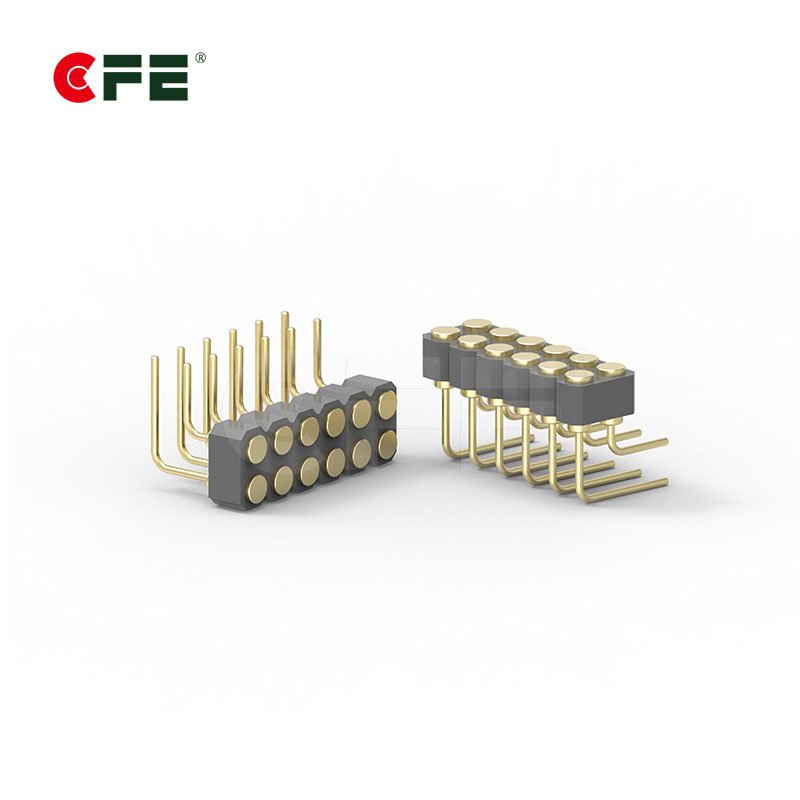
- Right angle pogo pins turn the contact sideways when the mating surface is parallel to the board.
- Solder cup pogo pins take a wire soldered into the cup, useful when the connector links to a cable instead of a board.
- High current pogo pins use larger contacts to carry heavier loads, which matters for fast charging.
Many combined power and data designs mix these, with one heavier contact for power and lighter ones for signals.
Where you already see this in real products
Once you know what to look for, combined connectors turn up everywhere. Smartwatches and fitness bands charge through a small set of contacts on the back. Wireless earbuds drop into a case where tiny contacts touch and charge them. Smart rings sit in a charging cradle that works the same way, and AI glasses often use a charging case with contacts hidden in the hinge area.


Payment terminals and POS devices follow the same logic. CFE lists pogo pin connectors for POS systems and payment devices among its applications, where docking has to be reliable through constant daily use. Smart home devices are another area where compact spring contacts save space.
When a custom connector makes sense
Standard parts cover a lot of ground, but products rarely arrive in standard shapes. If your pin spacing, height, current or sealing needs do not match a catalogue part, a custom design is usually the cleaner answer than bending the product around a connector.

CFE, which has been building pogo pin and magnetic connection solutions since 2009, offers tailored designs based on the device structure, power requirements and sealing needs. Its product pages also list waterproof pogo pins rated up to IPX8. To get a useful quote or recommendation, have these details ready:
- The working current and voltage for the power pins
- The type of data signal and its speed
- Available space, pin pitch and mating travel
- Environmental needs such as dust, moisture or repeated docking
Frequently asked questions
Can a pogo pin connector carry USB data and charging together?
Yes. A USB-style connection uses power and ground pins alongside a pair of data pins, and pogo pins can serve each of those roles. Check the datasheet and signal speed, since higher speeds are less forgiving of poor contact.
Do power and data need separate pins?
In practice, yes. Each signal travels on its own contact, and that is what allows one connector body to do both jobs.
Will high charging current disturb the data lines?
It can if the layout is careless. Placing a ground pin between power and data, and keeping data pairs together, reduces the risk considerably.
How many pins do I need?
It depends on your protocol. A simple design needs power, ground and two data pins. Higher currents call for extra power and ground pins, and you may add a detect pin as well.
Can a waterproof pogo pin connector still do both?
Yes, sealed designs exist. The water rating applies to the finished assembly, so confirm it with your supplier for your exact configuration.
Bringing it together
Pogo pins can carry power and data at the same time, and they do it every day inside watches, earbuds, rings and payment terminals. The trick is not the pin itself. It is the planning around it: enough ground pins, sensible spacing, dependable alignment and a pin style that matches how your product is built.
If you are sketching a new design and want a second opinion on pin count, current rating or custom options, our team is happy to help.
Ready to plan your connector? Explore the full range of pogo pin connectors, or send us your requirements for a tailored recommendation.